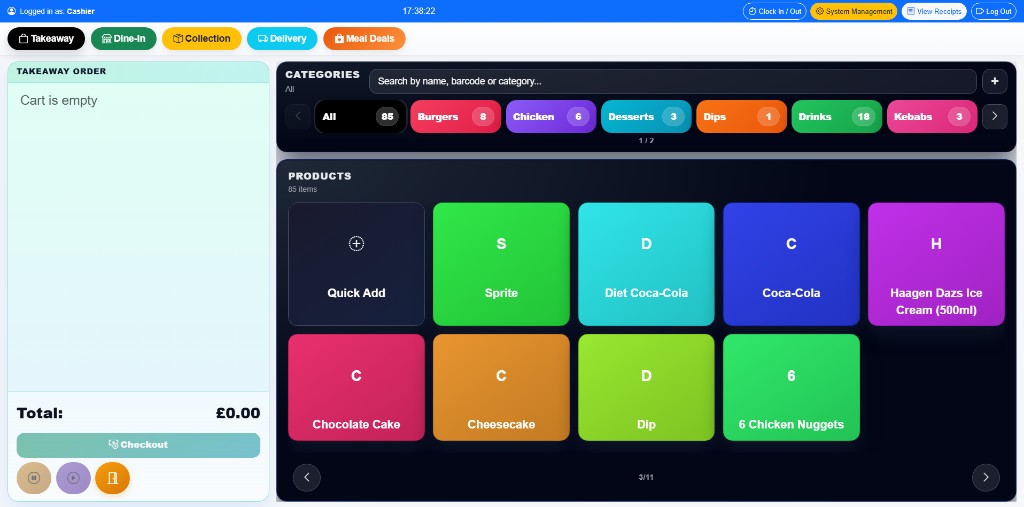
Fast order flow
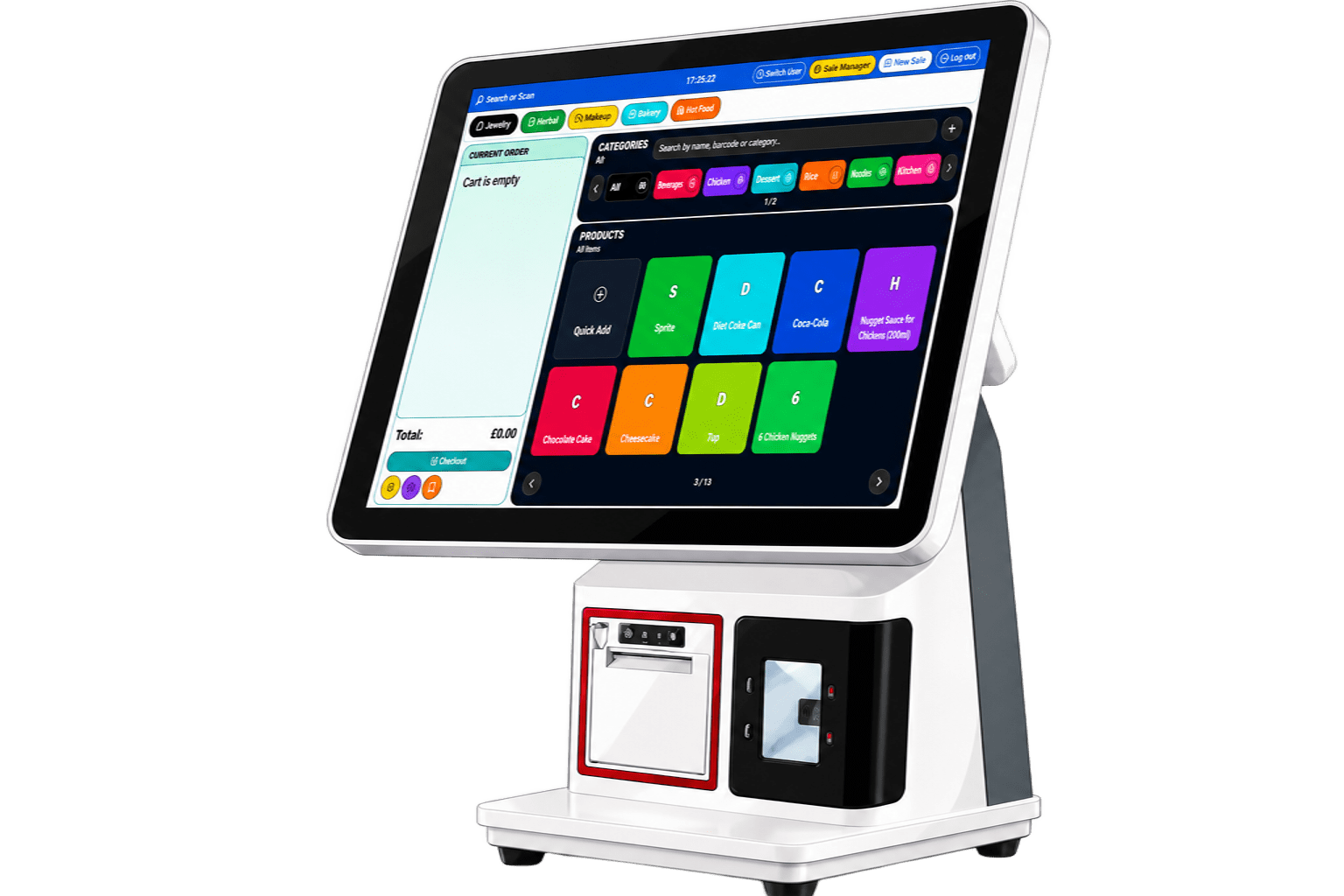
The running order, service type and product grid stay on one screen, built for the queue.
Learn more
Online Till ePOS
The running order, service type and product grid stay on one screen, built for the queue.
Learn more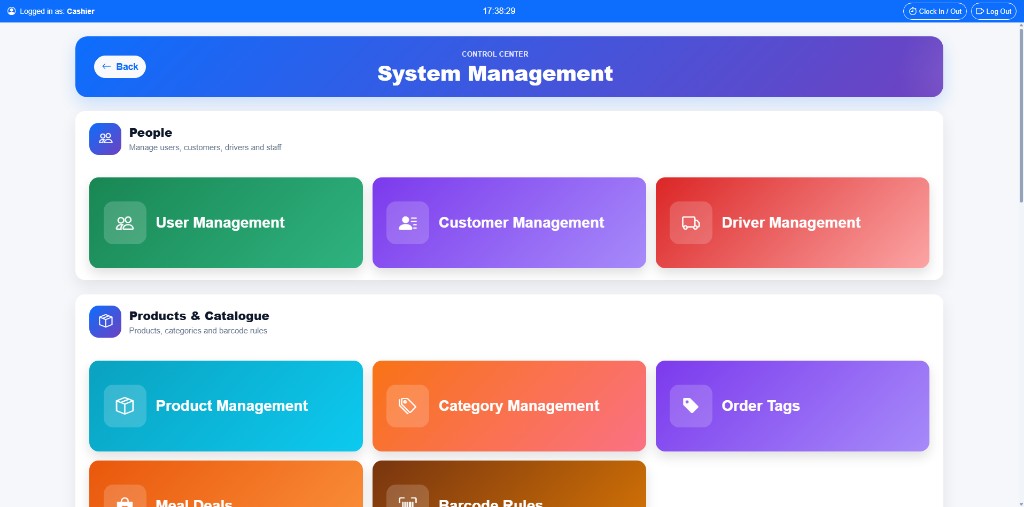
Products, payments, customers, drivers and reporting live inside the same product.
Learn more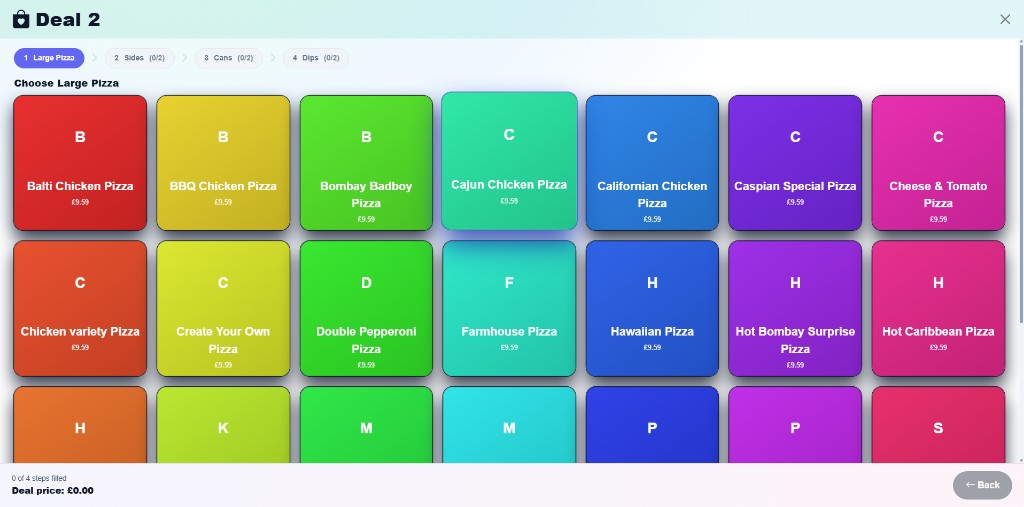
The complete service
Online Till connects the customer-facing sale with products, service modes, payments and management. The order a customer places is the order your team fulfils and the order your reports show.
The service journey
One connected environment for the till, receipt printer, scanner, cash drawer and payment flow.
Keep the running order, service type and product selection visible when the pace picks up.
Organise the catalogue and guide staff through structured choices without clutter.
Move from total to completion with a dedicated, easy-to-follow payment view.
Bring the operational work around delivery and customer service into the same product experience.
Keep the work behind each sale visible through the management interface.
Real interfaces
Every screen below ships with the till.
The running order, product selection and service type stay within reach on one screen, so staff never dig through menus mid-queue.
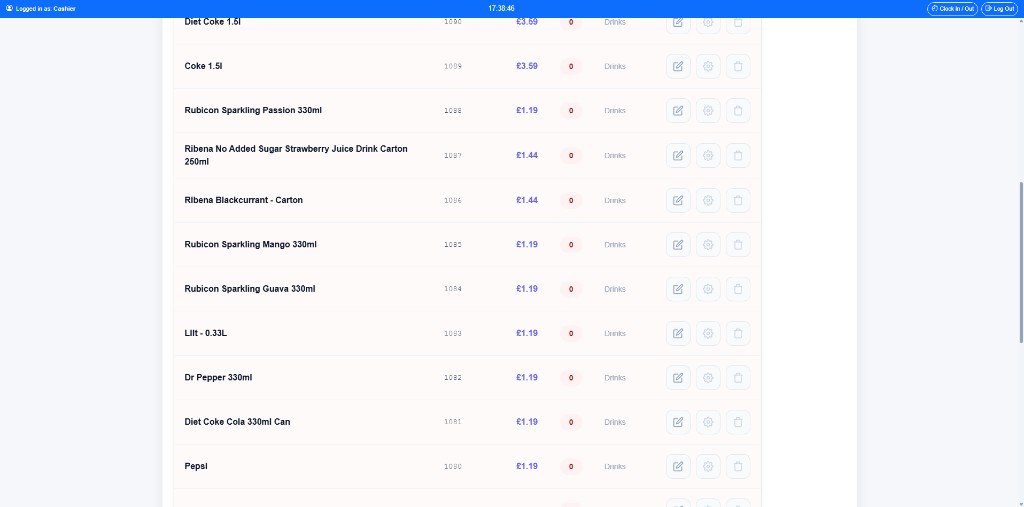
Build and edit products and categories in a structure that mirrors how the counter actually sells them.
Meal deals walk staff through each included choice step by step, so combinations come out right the first time.
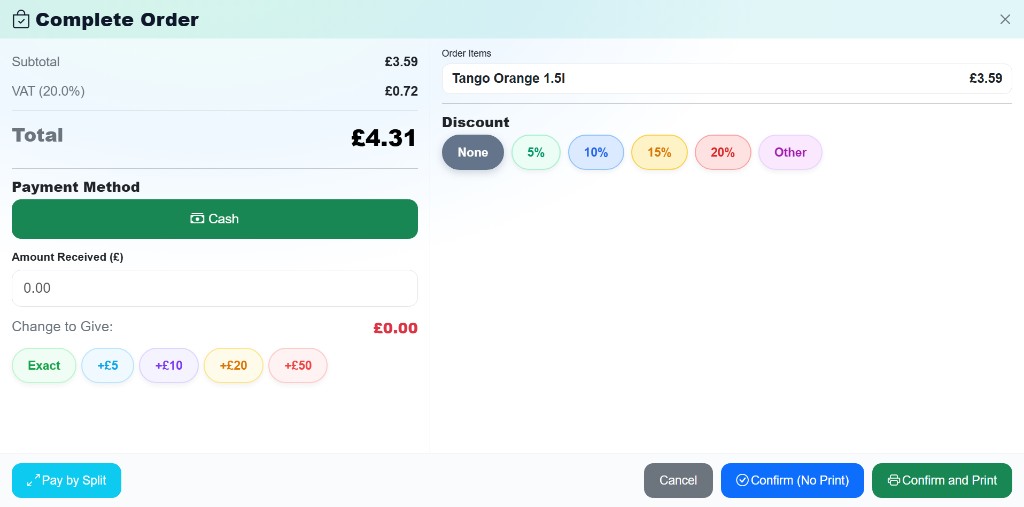
A dedicated payment view gives the final step the clarity it needs, with the total, tender and completion in one place.
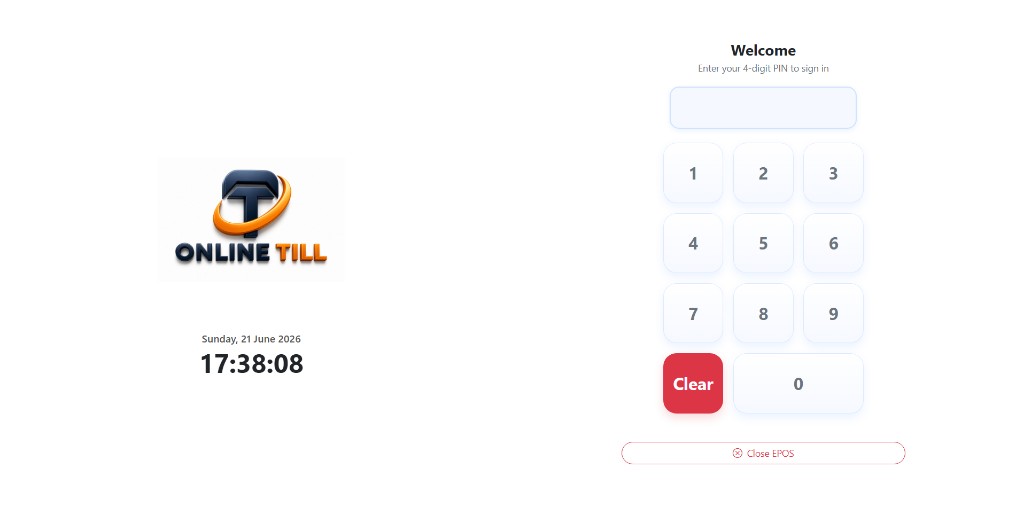
A clear PIN entry point gets each team member into their own session, so every action on the till belongs to someone.
Users, customers, drivers, products, categories and order tags are managed inside the same product, not a separate back office.
Personalisation
Products, categories, prices and offers are edited on the till itself, so the menu on screen always matches the menu you sell.
Colour-coded tiles and category tabs organise the whole catalogue. Add a product, set its price and it appears on the sales screen straight away.
Build offers with structured steps, a large pizza, two sides, two cans, two dips, and the till walks staff through every included choice in order.
Update prices, order tags and the people around your orders from the management screen, inside the same product your team already uses.
Checkout
The payment view handles the whole final step of a sale, from the total to the printed receipt, on one screen.
Delivery and takeaway
When an order leaves the counter, the details travel with it. The customer, the address and the driver stay linked to the order inside the same product.
Management
Users, customers, drivers, products, categories and order tags live inside the same product, not a separate back office.
Talk to Online Till
Service modes
Six ways an order can move through your business. One interface that handles all of them.
The default fast lane for walk-in trade. Build the order from the tile grid, take payment and print in one pass, and the screen is ready for the next customer.
Mark an order as dine-in and it stays separate from the counter queue. Staff keep building it as the table orders, with the running total always visible.
Take the order ahead of time with the customer's name and collection details attached. Your team works from the same ticket, so it is ready when they walk in.
Capture the address and phone number at the till and assign the order to a driver. The order, the customer and the driver stay linked until it is delivered.
Structured offers walk staff through each included choice step by step, the pizza, the sides, the cans, the dips, so combinations come out right without memorising rules.
Every person around an order is managed inside the same product. Look up a returning customer's details or keep the driver list current without a separate back office.
The connected system
The touchscreen, receipt printer, scanner, cash drawer and payment flow arrive as one product, installed and supported by Online Till, so every part of the counter works together from day one.
Explore the connected systemFrom sale to system
Everything moves through one system. Orders, products and the work behind each transaction stay easy to follow because the experience is joined up.
The centre of every sale.
Organised and ready to sell.
Control from one place.
Complete each transaction.
Confirmation after checkout.
See what happens behind the sale.